The multipass obsession continues…
The journey so far. I started off trying to write a tool in Python that would be a GUI for Multipass. I managed to do that, but it just never felt ‘right’. Too clunky, too brittle to make managing things a ‘joy’. So, then I made a TUI, which makes sense because you probably are in the command line already, right? And it is a good tool, but you can’t really ‘flow’ with it. Then I built an MCP server and now anything can interface with Multipass if you use an LLM. All good stuff. So, why have I never written a Web UI?
The reason is I didnt realise it would work quite so well. I believed that accessing the machine from a URL and having a backend and frontend probably wouldnt really work. If I want to shell into the VM, copy a file, mount a folder I need to be ‘on the box’. Well, some of that is true, but largely not. Turns out a Web UI is a fantastic interface for Multipass.
Installing the WebUI
This is written in Go (and I’m starting to think everything should be!) which means we simply have a single binary to run the service. You can grab from here: https://github.com/rootisgod/passgo-webui/releases
Be sure to rename the windows binary file to an .exe file to run it. Also, chmod +x the linux or Mac one (if required). It’s a binary from the internet, so it may set off an alarm or two, but please feel free to build locally as well if this is a concern.
Make sure you have multipass installed, run the binary and then go to your machine’s localhost and port 8080. Login as admin and admin. You can change port and password, but these are the defaults. See the README.md in GitHub for more info on changing this: https://github.com/rootisgod/passgo-webui
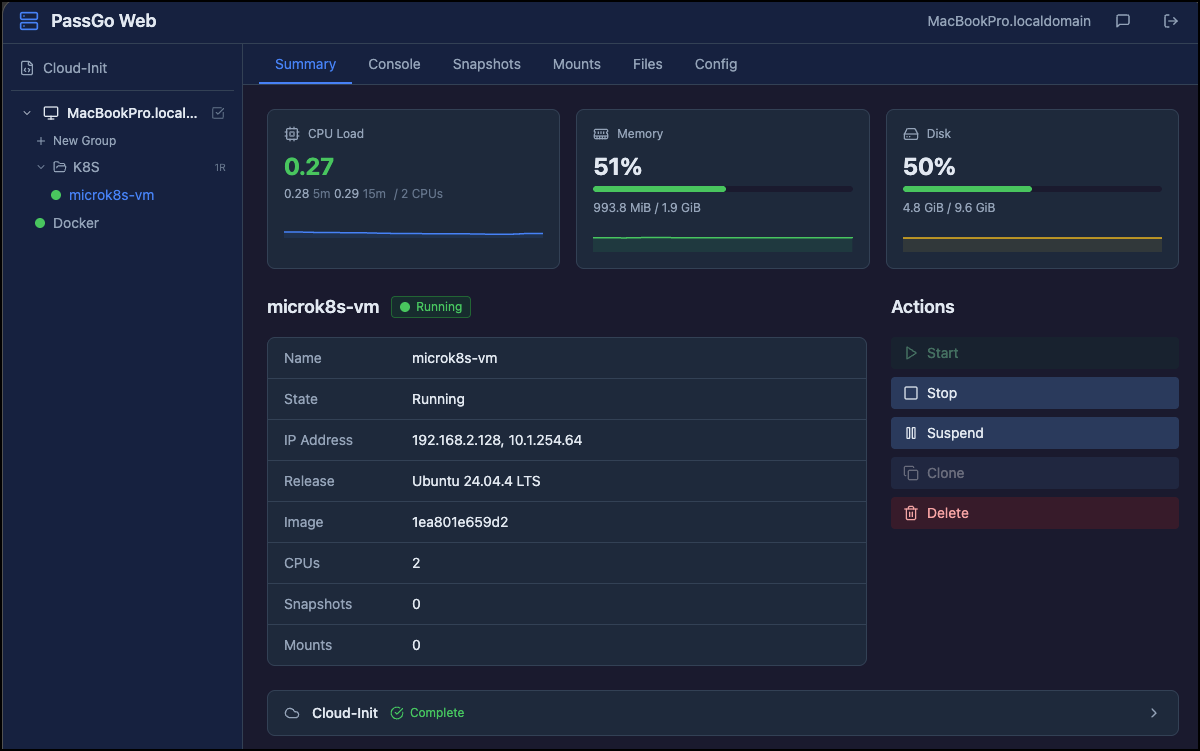
And so here is the WEB UI interface. I went for a traditional Proxmox/vSphere style experience. You can do almost anything you can from the multipass terminal commands. But, we also have a few cool features like VM organisation into folders, ability to upload/download files from the instances, and multiple shells to the instances.
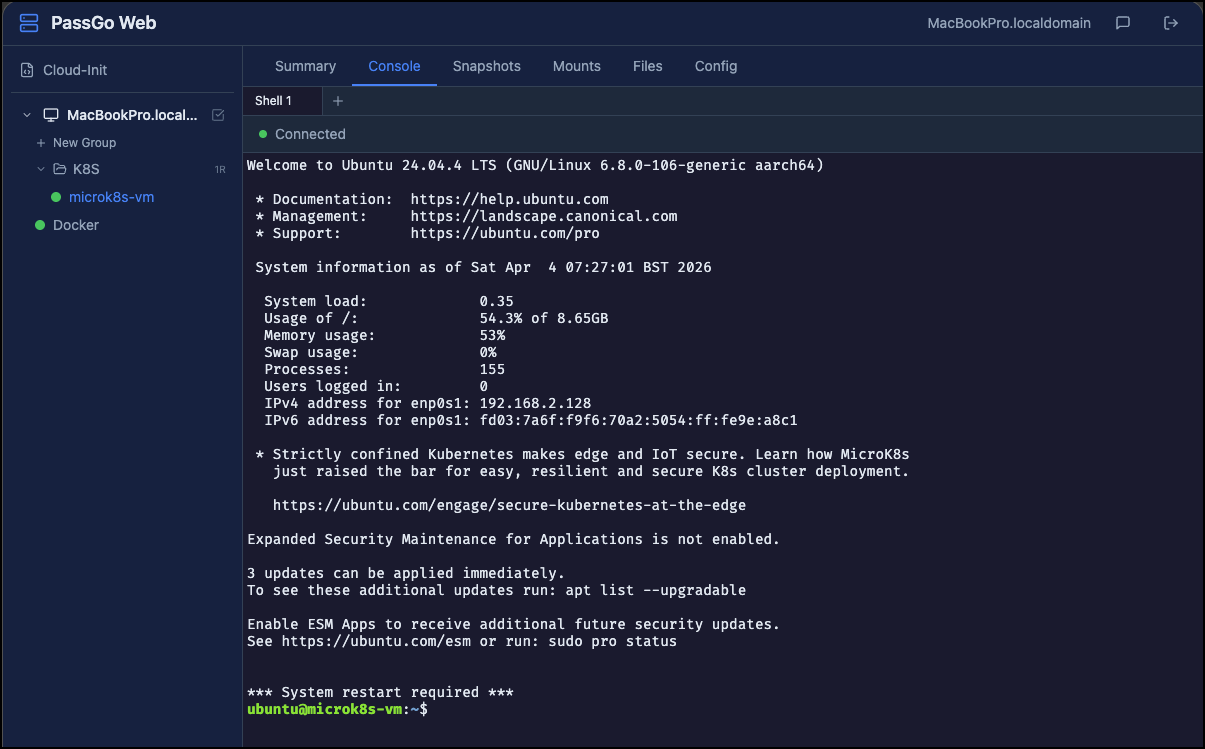
Accessing an Instance Shell (you can have multiple tabs!)
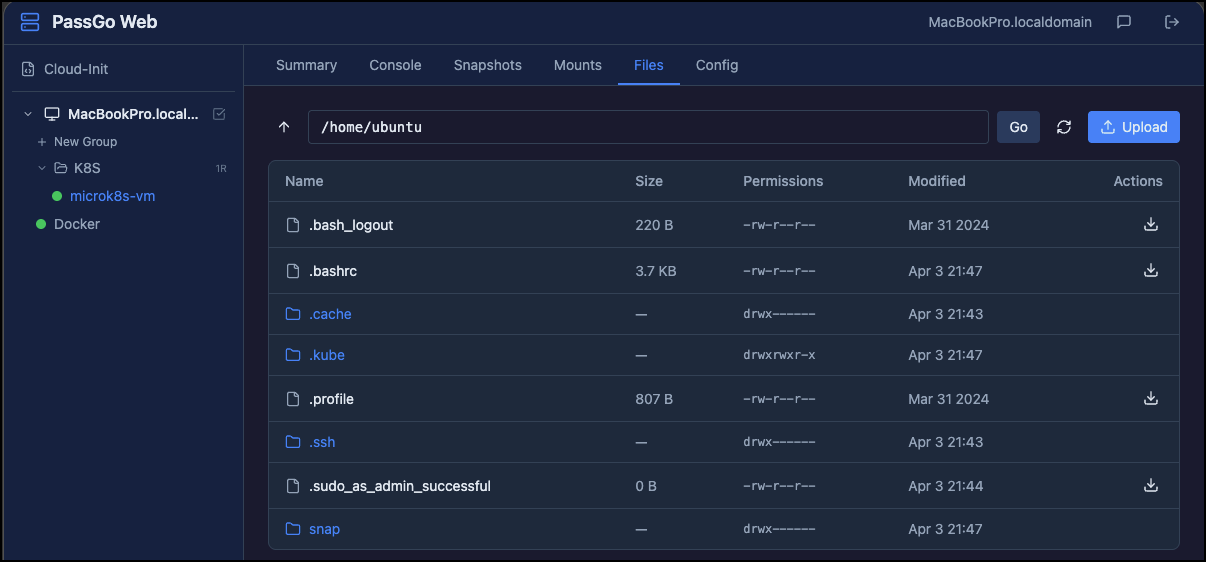
The File Upload/Download Interface
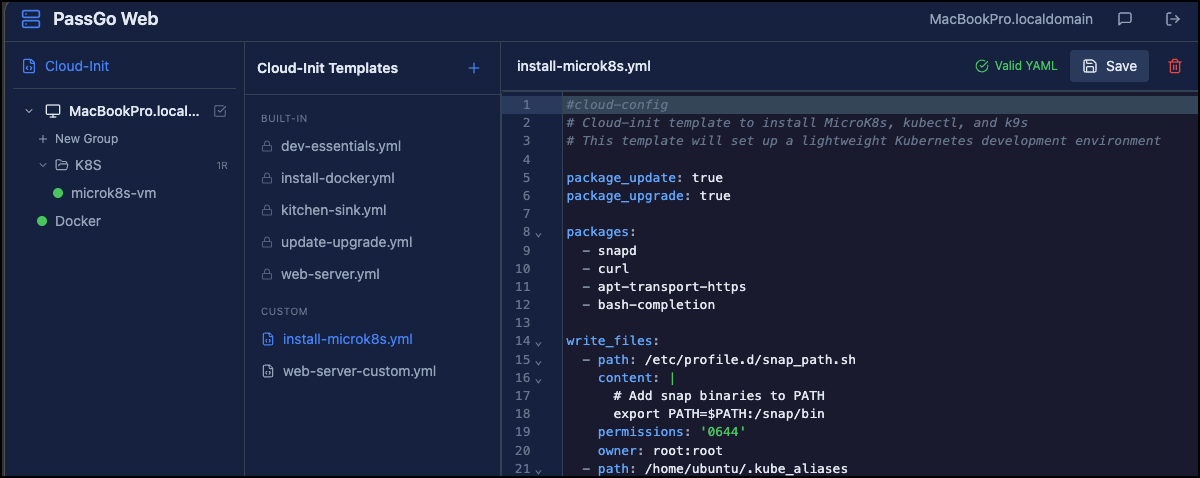
CloudInit Template Setup
And of course, LLM integration via OpenRouter or local Ollama. I’ve hidden it away so you never need interact with it, but it will help interact with VMs and also help generate Cloud Init templates if you ask it. Interestingly, it doesnt use the MCP server I built, apparently the API calls from frontend to backend cover everything anyway and so it wasnt needed.
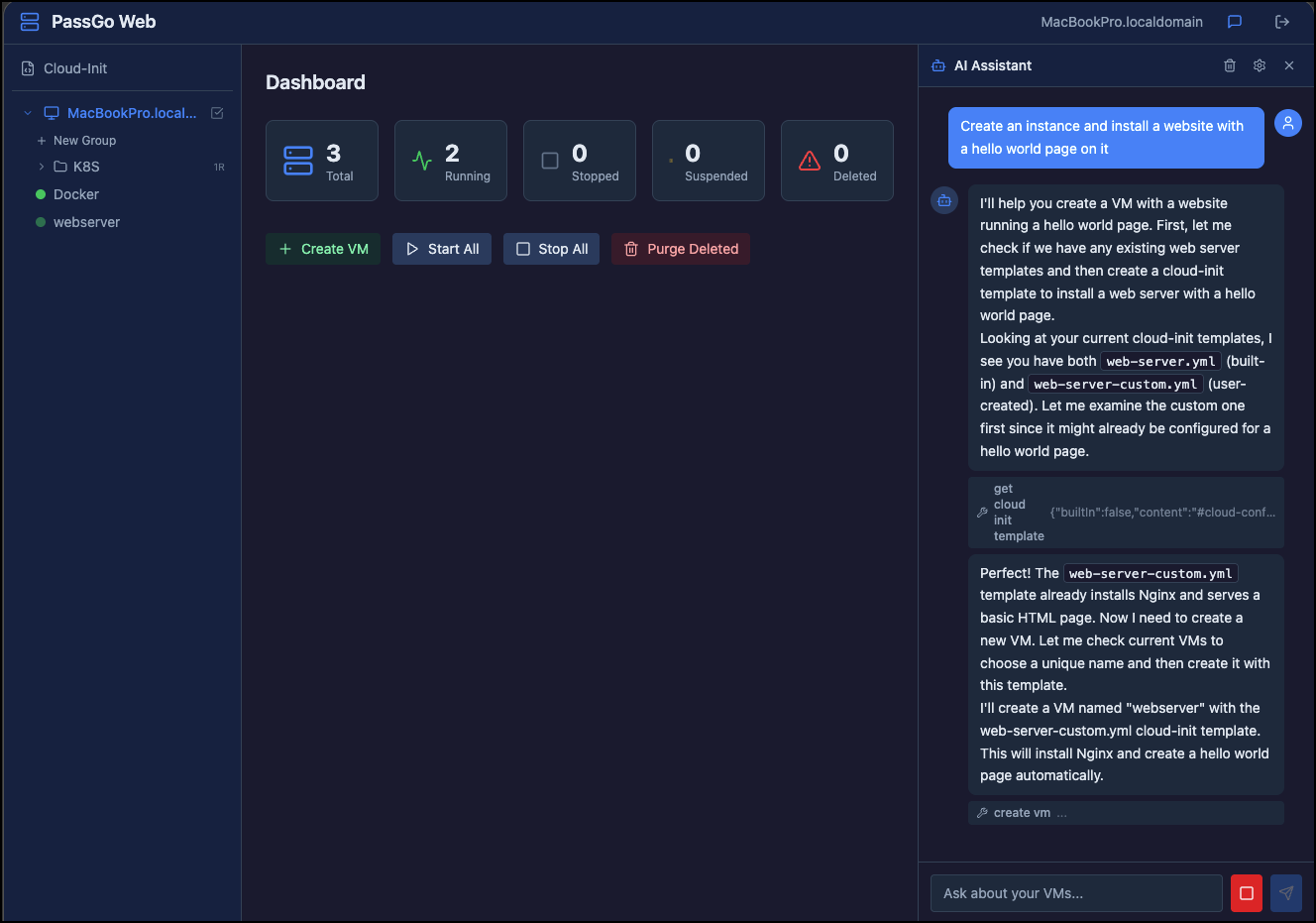
I think this has turned out really well. You can access the website from a remote machine, so it really could be a simple Proxmox replacement if you really like Multipass and want a simpler workflow for Ubuntu VMs. Enjoy!
Features
Here is everything it can do!
What it is: A Proxmox/vSphere-style web UI for managing Canonical Multipass VMs. Single Go binary with embedded Vue 3 frontend.
Core VM Management
- Create, start, stop, suspend, delete, recover, clone VMs
- Bulk operations (start-all, stop-all, purge)
- Async launch tracking with progress indicators
- Live resize of CPU, memory, and disk (with host capacity guards)
Terminal & Execution
- Multi-tab interactive shell per VM (xterm.js + WebSocket)
- Persistent PTY sessions that survive disconnects (30-min TTL, 64KB scrollback)
- Command execution API for scripting
File Operations
- File browser inside VMs
- Upload/download files
- Host-to-VM mount management
Snapshots
- Full CRUD: create, list, restore, delete
- Clone VMs from specific snapshots
Cloud-Init Templates
- Built-in + user-created templates
- CodeMirror YAML editor with cloud-init linting/validation
- Apply templates during VM launch
VM Groups
- Organize VMs into collapsible sidebar folders
- Group-level bulk actions (start/stop/delete all members)
- Drag-style reordering
AI Assistant (24 tools)
- Chat panel with SSE streaming and markdown rendering
- Works with any OpenAI-compatible API (OpenRouter, Ollama, etc.)
- Can manage VMs, snapshots, groups, and cloud-init templates
- Creates cloud-init templates from natural language and launches VMs with them
- Destructive actions require user confirmation
- Read-only mode available
- System prompt refreshed with live VM/group/template state each turn
Auth & Security
- Single-user bcrypt auth with session tokens (24h TTL)
- Login rate limiting
- CORS, security headers, body size limits
Infrastructure
- 55+ REST API endpoints for full external automation
- Cross-platform: macOS, Linux, Windows
- Single binary via go:embed — no external dependencies
- Go 1.22+ backend, Vue 3 + Vite + Tailwind v4 + Pinia frontend